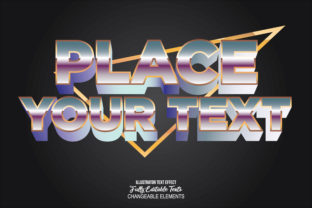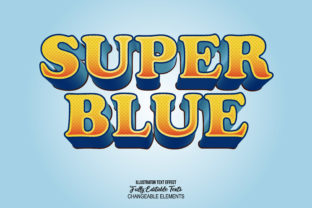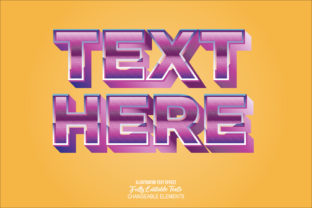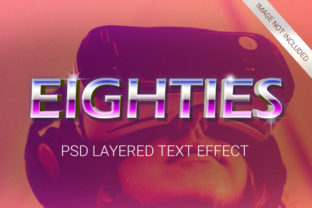
Explore the Future with 10 3D High Technology Science Fiction Styles for Adobe Photoshop
In the ever-evolving world of digital design, creating visually stunning and futuristic visuals has never been easier. Whether you're a professional designer or a creative enthusiast, having access to high-quality, ready-to-use 3D assets can elevate your projects significantly. Today, we’re diving into a powerful resource: the 10 3D High Technology Science Fiction Style for Adobe Photoshop package. This collection is designed to bring futuristic aesthetics to life, offering an array of advanced 3D elements that are both versatile and easy to use.
What Is the 10 3D High Technology Science Fiction Style for Adobe Photoshop?
The 10 3D High Technology Science Fiction Style for Adobe Photoshop is a premium set of 3D assets created specifically for Adobe Photoshop users. These styles are crafted with a focus on futuristic themes, making them ideal for anyone looking to incorporate cutting-edge, sci-fi-inspired designs into their work. The package includes ten unique 3D styles, each meticulously designed to offer a different aesthetic while maintaining a consistent level of quality and detail.
Key Features of the Package
- High-Quality Professional Design: Each style is crafted with attention to detail, ensuring that every element is rendered with precision and realism.
- No Skill Required: With everything built as smart objects, users don’t need advanced 3D skills to apply these styles. Simply place the asset in your design and adjust as needed.
- 10 Different Styles: From sleek cyberpunk elements to intricate space-age designs, there's a style for every creative vision.
- 100 Editable Elements: Every component is fully editable, allowing for easy customization without losing quality.
- High Resolution (300 DPI): All assets are delivered at a high resolution, ensuring crisp and clear output for print or digital use.
- Well Organized Layers: The package is structured with layers that are easy to navigate, making it simple to edit individual components.
- Smart Object Replacement: Users can easily replace or modify elements within the smart object format, giving full control over their design process.
- Very Versatile: These styles are suitable for a wide range of applications, from branding and web design to concept art and video production.
- Excellent for Text and Shapes: The styles can be applied to any text or shape, making them adaptable to various design needs.
- Font Used: The package includes font recommendations that complement the futuristic theme, enhancing the overall visual impact.
Why Choose This Package?
Designing in a futuristic style can be challenging, especially when working within the constraints of 2D tools like Adobe Photoshop. However, this package simplifies the process by providing pre-built 3D elements that are both realistic and easy to integrate. Here’s why this package stands out:
1. Time-Saving and Efficient
Creating custom 3D elements from scratch can take hours, if not days. This package eliminates the need for manual 3D modeling, allowing designers to focus on their creative vision rather than technical details. With just a few clicks, users can transform flat designs into dynamic, three-dimensional scenes.
2. Perfect for Beginners and Professionals
Whether you're a beginner looking to experiment with 3D design or a seasoned professional seeking new creative tools, this package caters to all skill levels. The smart object format ensures that even those with minimal experience can achieve impressive results.
3. Ideal for Modern Design Trends
Futuristic and science fiction themes are increasingly popular in modern design. From tech startups to gaming companies, businesses are leveraging these aesthetics to stand out in a competitive market. This package helps designers stay ahead of the curve by offering a wide range of sci-fi-inspired assets that are both stylish and functional.
How to Use the 10 3D High Technology Science Fiction Style for Adobe Photoshop
Using this package is straightforward, thanks to its user-friendly structure and smart object format. Here’s a quick guide to get you started:
- Import the Assets: Open your Photoshop project and import the 3D styles as smart objects. These will appear as separate layers in your document.
- Apply to Text or Shapes: Select any text or shape in your design and apply one of the 3D styles. The smart object format allows for seamless integration.
- Customize as Needed: Adjust colors, textures, and lighting to match your design. Since all elements are editable, you have full control over the final outcome.
- Export Your Work: Once satisfied with your design, export the file in your preferred format. The high-resolution (300 DPI) ensures that your work looks sharp and professional.
Practical Applications of the Package
This package isn't just for show; it has real-world applications across multiple industries. Here are some examples:
1. Branding and Marketing
Brands in the tech and innovation sectors often use futuristic aesthetics to convey progress and forward-thinking. These 3D styles can help create eye-catching logos, packaging, and promotional materials that align with a brand’s identity.
2. Web and UI Design
Modern websites and user interfaces frequently incorporate 3D elements to enhance user engagement. By using these styles, designers can add depth and dimension to buttons, icons, and background elements, making their designs more immersive.
3. Concept Art and Storyboarding
For artists and filmmakers, these styles can serve as a foundation for concept art and storyboarding. They provide a quick way to visualize futuristic settings, technology, and environments without requiring extensive 3D modeling skills.
4. Education and Training
Science and technology educators can use these assets to create engaging learning materials. For example, interactive 3D models of space stations or advanced machinery can help students better understand complex concepts.
Common Misconceptions About 3D Design in Photoshop
Many designers believe that creating 3D content in Photoshop requires advanced software like Blender or Maya. However, this package proves otherwise. By using smart objects and pre-designed 3D assets, users can achieve professional-looking results without leaving the familiar environment of Photoshop.
Another common misconception is that 3D design is only for experts. In reality, with the right tools and resources, anyone can create compelling 3D visuals. This package is a great starting point for those interested in exploring the world of 3D design within Photoshop.
Conclusion
The 10 3D High Technology Science Fiction Style for Adobe Photoshop is a game-changer for designers looking to bring futuristic aesthetics to their projects. With its high-quality assets, ease of use, and versatility, this package offers something for everyone—from beginners to professionals. Whether you're designing for business, education, or personal creativity, these styles can help you create stunning, visually engaging content that stands out in today’s digital landscape.
By investing in this resource, you’re not just adding a tool to your design arsenal—you’re unlocking new possibilities for creativity and innovation. Explore the future with these 3D styles and see how they can transform your next project.